))
CV Builder

A polished profile from every CV
PDF, Word or a LinkedIn export: it doesn’t matter what format a CV arrives in. The CV Builder uses AI to turn the existing CV into a clear candidate profile, with a summary, work experience and skills. A built-in CV agent corrects spelling and unclear sentences.
You check the result and edit the text directly in the builder. That easily saves you 20 minutes per CV.
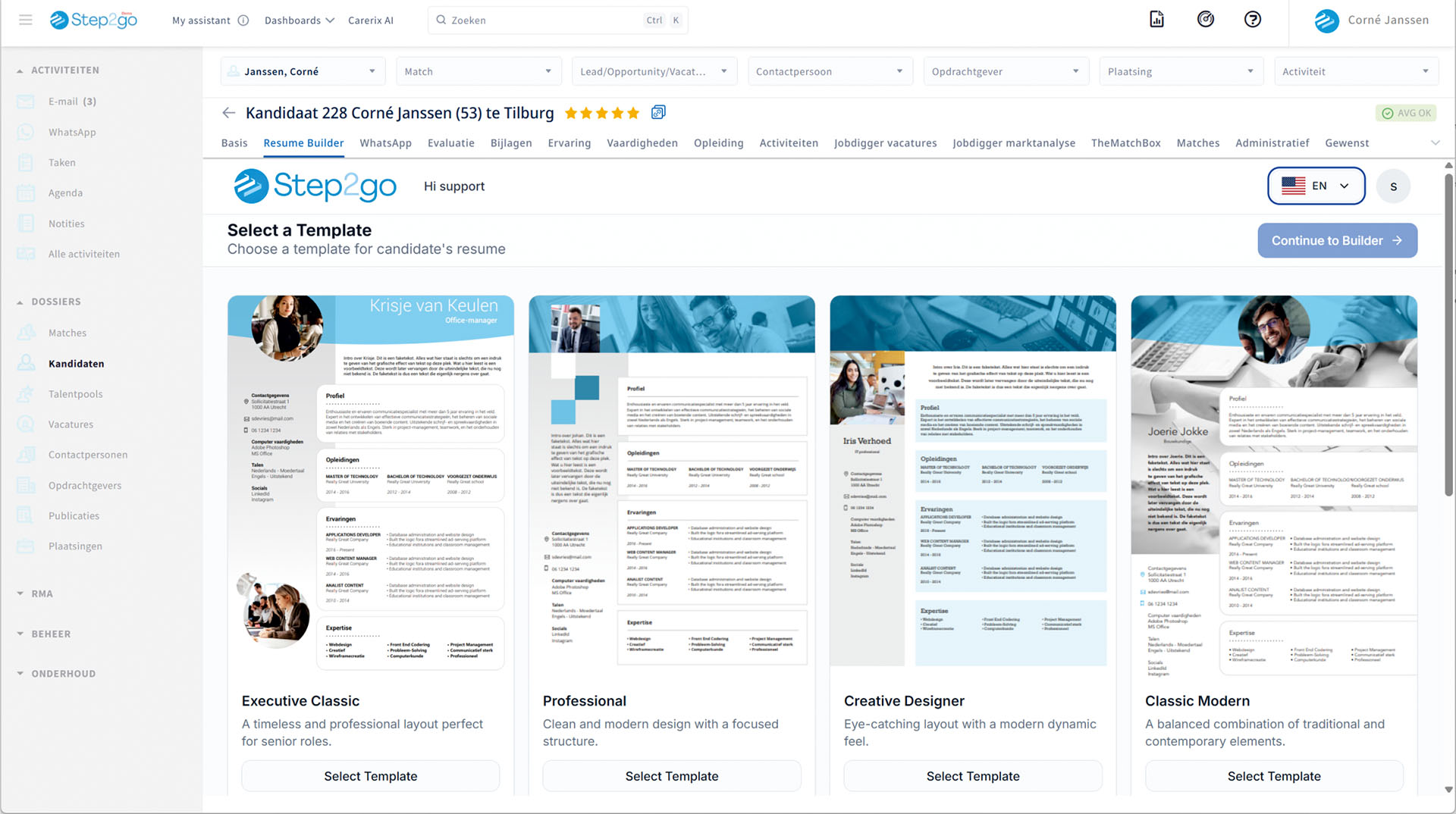
One candidate, a version for each client
Putting the same candidate forward to several clients? Create a separate version for each client, with a different summary or rate, for example. Choose from several templates or have a custom layout made in your own branding. That way every CV looks the same, no matter which recruiter creates it.
You can also:
- add a photo
- anonymise personal details
- translate the CV in one click, into English for example

Right inside Carerix
You launch the CV Builder directly from the candidate in Carerix. The builder also uses the information in the candidate’s profile and file. Done? Save the CV, and the PDF is instantly added to the candidate. No downloading and re-uploading files. It’s ready to present to your client straight away.

For teams that put forward a lot of candidates
Do you work at a recruitment agency, a secondment agency or a temp agency, or in corporate recruitment? The CV Builder pays off from just a few CVs a week.
With the Step2Go CV Builder in Carerix:
- you create professional CVs faster
- your whole team presents candidates in the same way
- you spend less time on admin
CV Builder FAQ
-
What is the Step2Go CV Builder?
The Step2Go CV Builder is a tool by Step2Go that uses AI to turn candidate CVs into professional candidate profiles in your own branding. It works directly inside Carerix. You use it from the candidate’s file, and the profile is saved back to the candidate as a PDF. Recruiters spend less time on formatting and can put candidates forward to clients faster.
-
How does the integration between the Step2Go CV Builder and Carerix work?
You launch the CV Builder from the candidate in Carerix. The builder uses the CV and the candidate data already stored in Carerix, which gives you a more complete profile. Once you save it, the PDF is instantly added to the candidate in Carerix. The document stays part of your existing recruitment process.
-
Can I use my own branding in the CV Builder?
Yes. You can choose from several CV templates, or have a custom CV layout set up to match your branding. All recruiters, teams and branches then work to the same standard, and candidate presentations look recognisable and professional.
-
Does the Step2Go CV Builder support multiple languages?
Yes. The CV Builder can process CVs in different languages and automatically translates candidate profiles into multiple languages and back again. That makes your profiles ready for international clients and hiring managers, without translating them yourself.
-
Can I edit the CV before I share it?
Yes. You edit the candidate profile directly in the builder. You can change the text, add information, add a photo and anonymise personal details. A built-in CV agent corrects spelling, grammar and unclear wording. You always review the profile before you share it. You can also save a separate version for each client or vacancy.
-
How quickly can I get started with the Step2Go CV Builder?
The Step2Go CV Builder works directly inside Carerix, so there’s no separate system to connect. You get started by booking a demo with Step2Go, where you discuss your layout, languages, team permissions and the number of CVs you process. Step2Go then helps with setup, training and personal support. There are no one-off costs.
Contact
